
How to replace a ME/CPI Bill Recycler in TBS 9900/Kiosk
Tools Needed: 9MM socket to remove the nuts
Parts Needed: CPI Talos Bill Recycler or MEI VN2700R Bill Recycler
NOTE: The images and steps below reflect both CPI Talos, and MEI VN2700R Bill Acceptors.
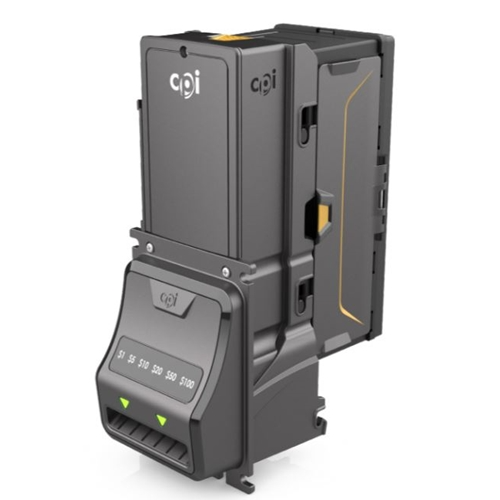
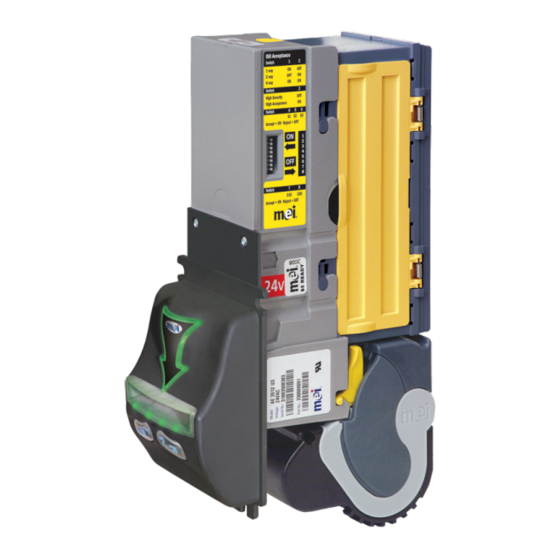
NOTE: Front face plate may differ.
Remove the Bill Box by pushing in the yellow tab inwards and lifting the bill box up and out.
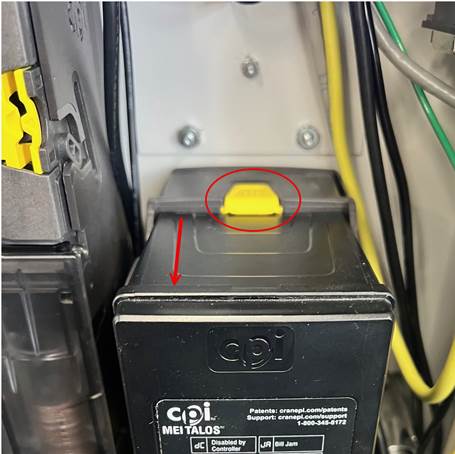
Pull the yellow lever on the bottom of the bill recycler towards you. This will release the bottom of the bill recycler to be removed and by pulling it towards you.
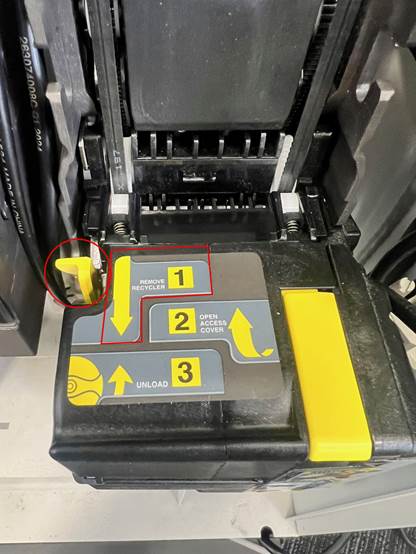
You will now have access to the 4 nuts that hold the bill recycler onto the coin tower. Using a 9MM socket, remove all 4 nuts, and the recycler will be loose. (Top right not pictured)
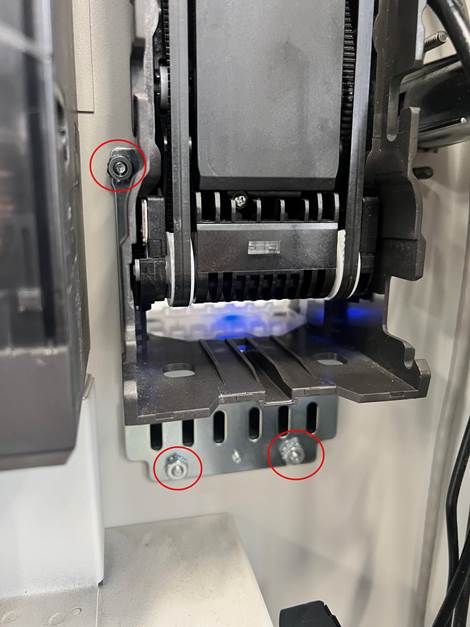
Now you can re-install the new device by following the setup above in reverse order.
Troubleshooting Tips for programming issues:
Once installed, the bill recycler should be configured based on TBS default settings. If you ahve any questions or concerns about this, please refer to our knowledgebase articles below:
or