
Replacing Barcode Scanner on a Kiosk
- On the defective unit, disconnect the USB from the CPAD and pull out the cable.
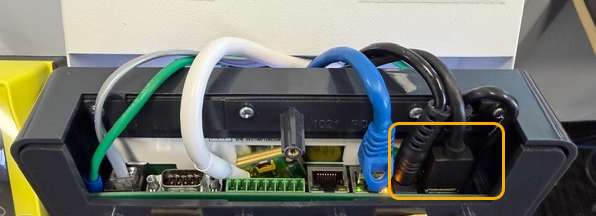
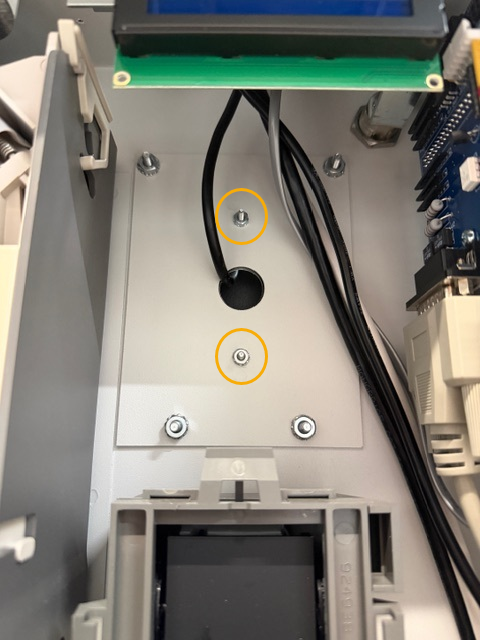
- To remove the defective unit from the kiosk you will need to remove the 2 smaller nuts circled in YELLOW. This will remove and release the barcaode scanner. (Be sure to hold the scanner as it will fall)
** Nutdriver or need nose pliers needed **
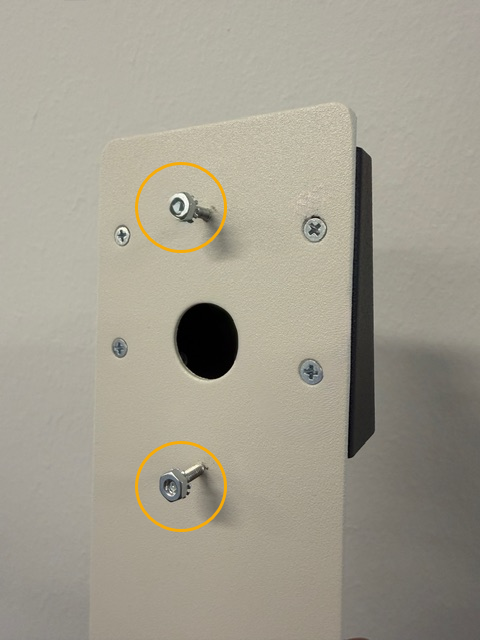
Remove the same nuts off the replacement unit and insert the replacement on the kiosk.
Be sure to remember to filter up the usb cable so thats its conected to the cpad. Once connected you will see the red light from the barcode scanner.
If for any case the the replacement need to be programmed use the bottom link. This will require you to scan a few barcodes to get the unit back up and functional.
How to configure TBS Kiosk Barcode Scanner