
Creating a Staff Override Account for Copying
Before you begin, it's best to use a Library Card for this, since it already has a barcode and card number associated with it. This allows you to just scan the library card at the barcode scanner and get unlimited copies.
1. Login to the PaperCut website
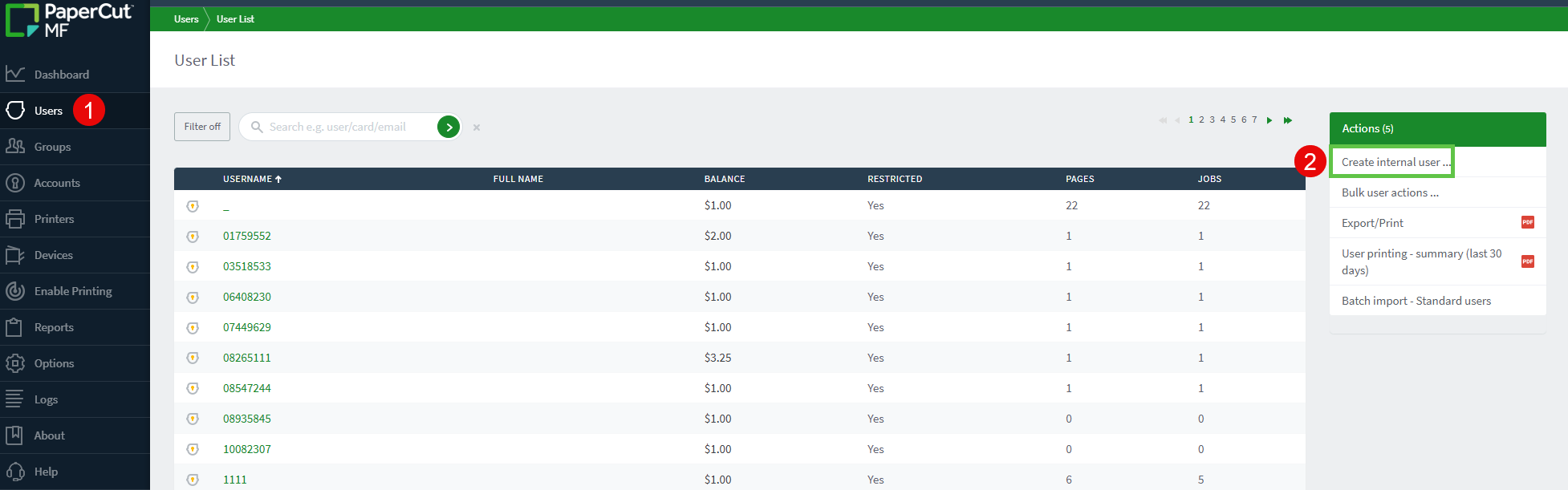
2. Browse to the Users tab and choose "Create Internal User"
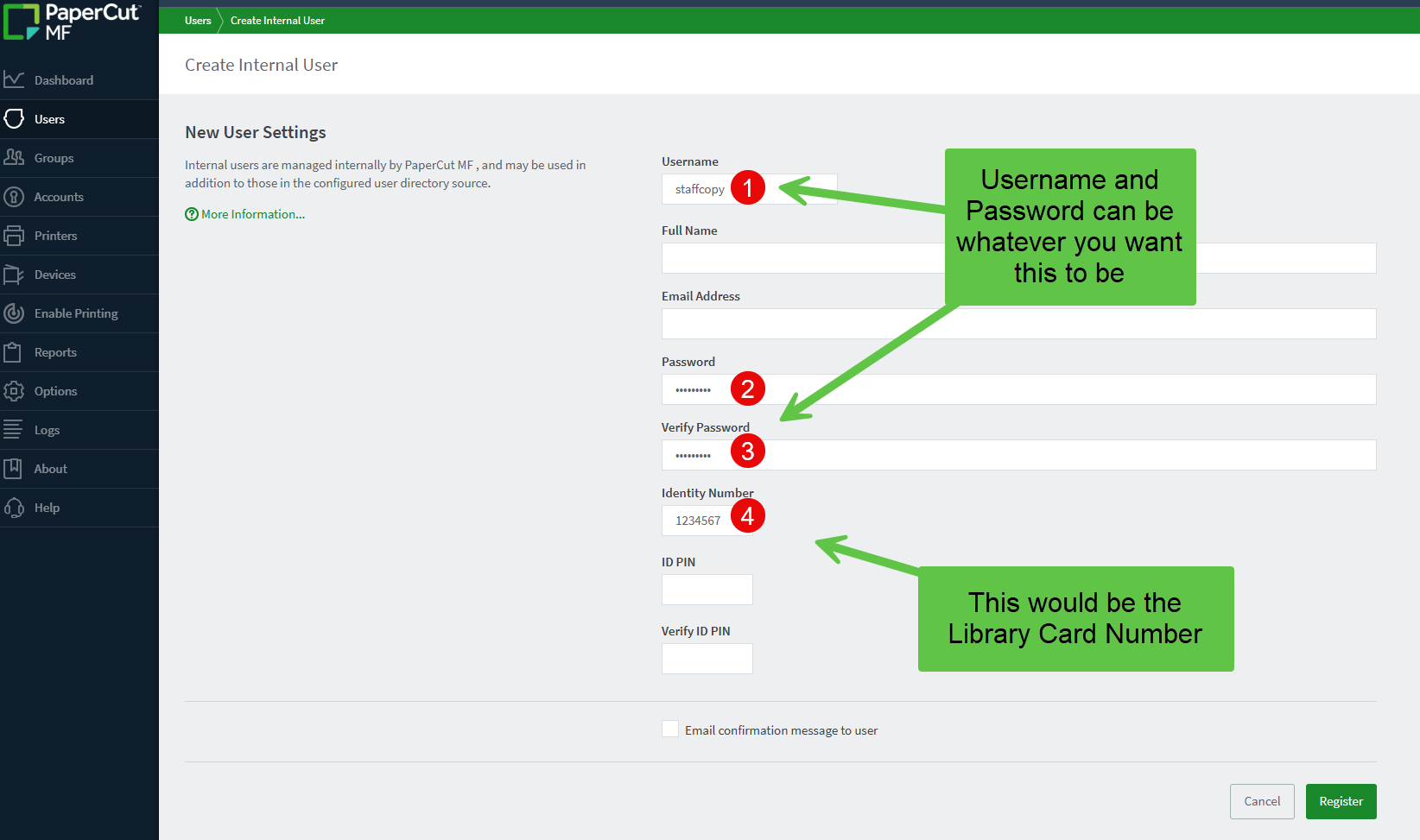
3. Create internal account and fill out the following information below
- Username: This can be whatever you want this to be, but name it something that you can remember or search for later, if you need to change the "Identity Number".
- Password: This can be whatever you want it to be
- Identity Number: This would normally be the library card number you are using to set this up
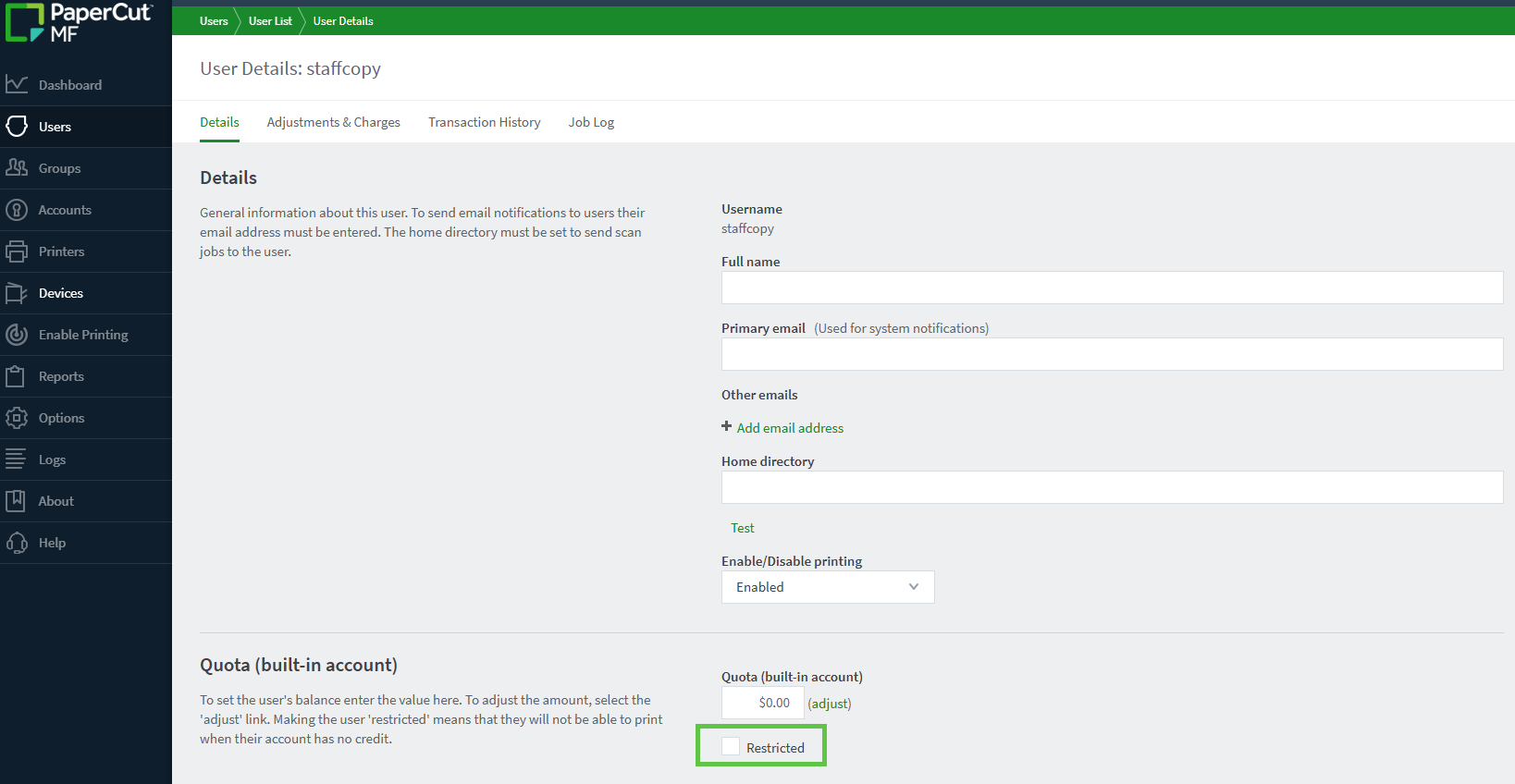
4. Go back to the "Users" tab and search for the username you just created
5. Click on the username you just created and uncheck the "restricted" checkbox
6. Test scanning the library card on the Kiosk and it should enable the copier and allow for unlimited copies. Make sure you "Logout" of the Kiosk once you are done.