
How to Add Bill Denominations to the 9900/Kiosk
If you notice that the bill acceptor is not accepting bills and the corresponding denominations are not listed on the device’s display, it is likely that the bill denominations have not been enabled. To enable $20, $10, $5, and $1 bills, follow the steps below.
***Video Example***
How to Add Bill Denominations to the 9900/Kiosk
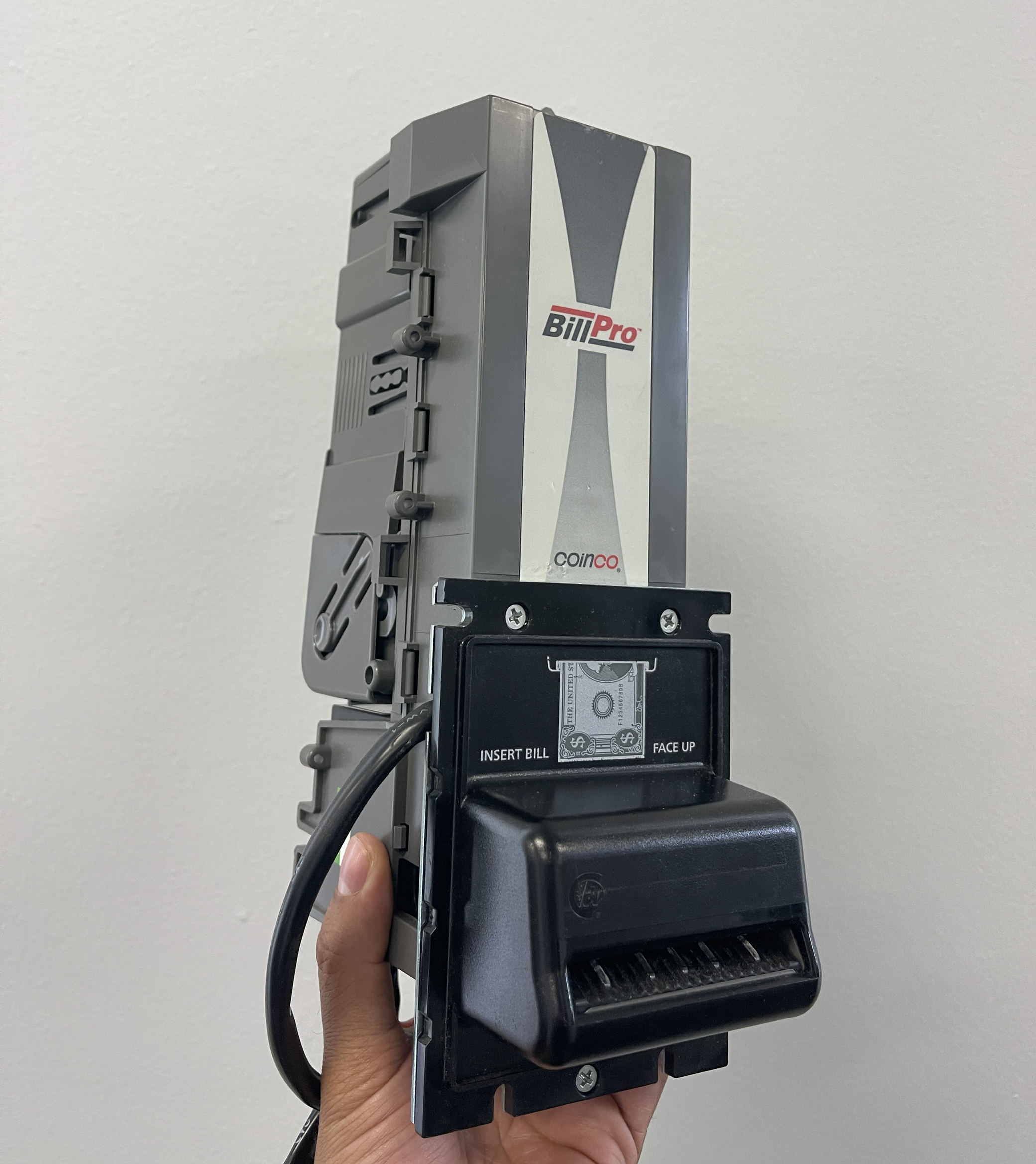
Front side of the BillPro by CoinCo
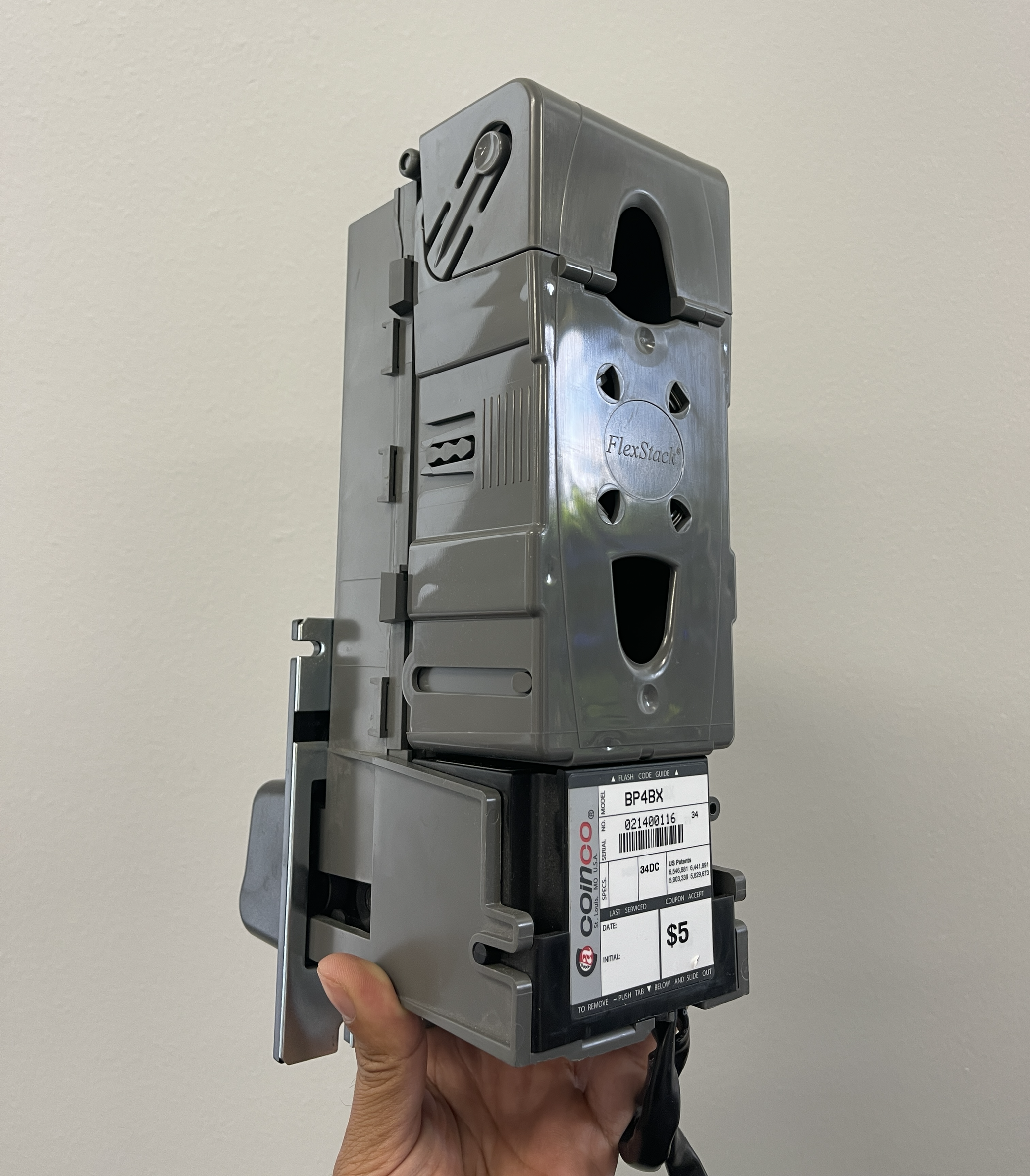
Rear side of the BillPro by CoinCo with cash stacker attached
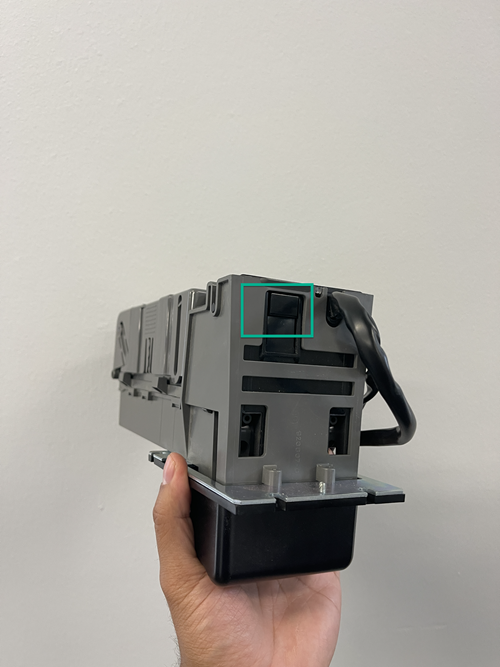
To remove the bottom of the bill acceptor, look underneath as indicated below and depress the button while pulling the black "flash codes" box out away from the door
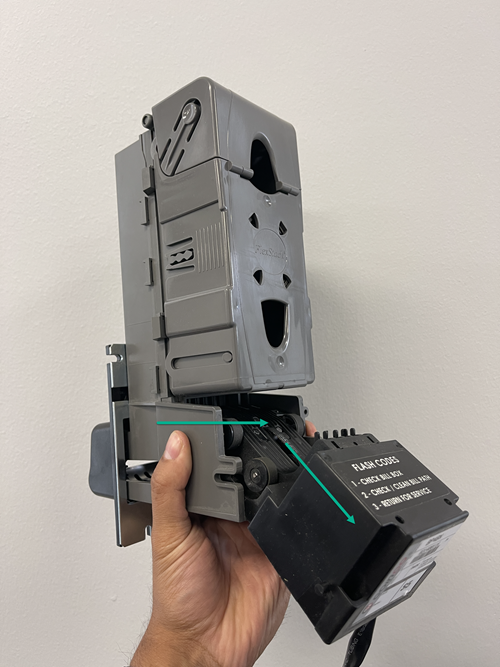
Pull the "Flash Codes" box out
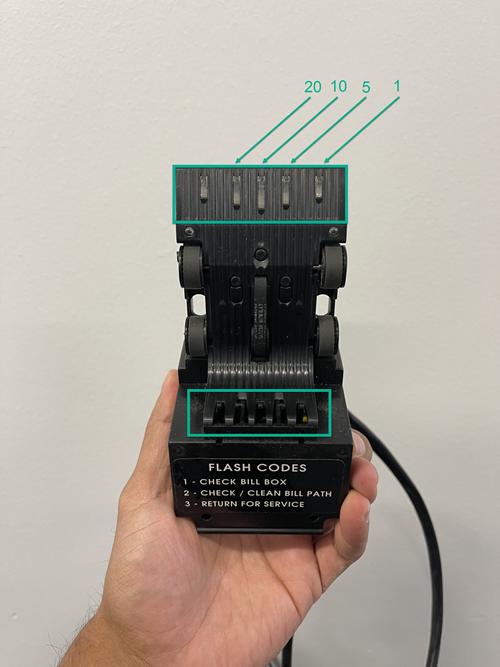
- Tap 5X on the Flash codes (All the lights will glow)
- T(Most places would enabap one by one to add the bills you want to have enabled. le 20,10,5,1 denominations)
- Hold Flash Codes until it blinks to SAVE changes
Reference to setting to enabling $20, $10, $5, and $1 bills 9900/kiosk board pages 6-8
TBS-9900 Configuration Settings