
Scheduling ScanEZ Reports
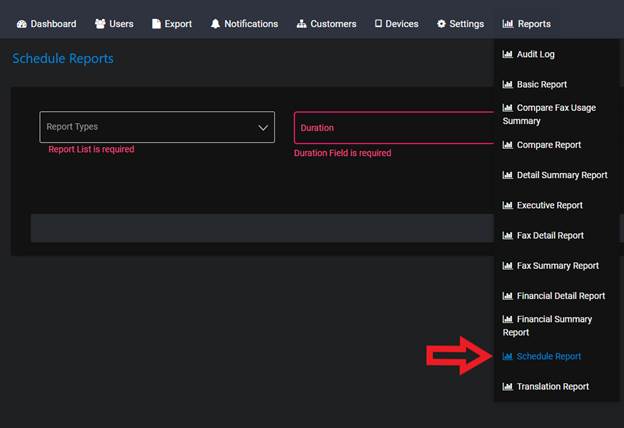
On the https://scanez.com website, you first want to find the REPORTS drop down tab and select SCHEDULE REPORT
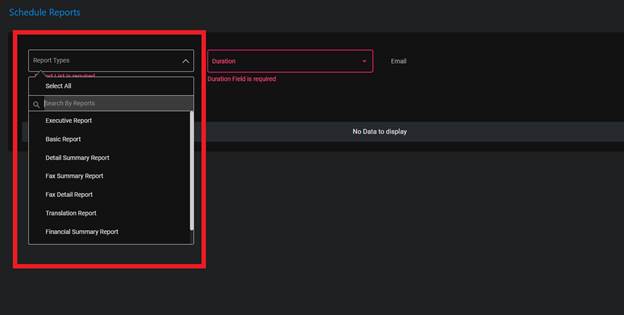
Once you are at the Schedule Reports page you will be prompted to enter the type of report you’d like to obtain. You can select more than one report type as well.
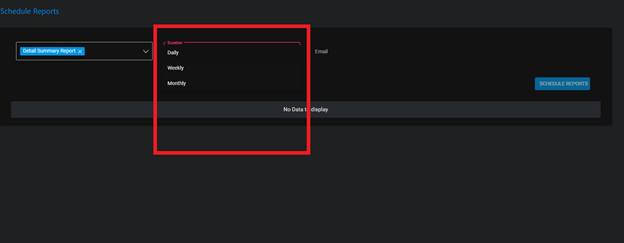
The next tab is the duration of how long the report will record, here you can select daily, weekly, and monthly reports.
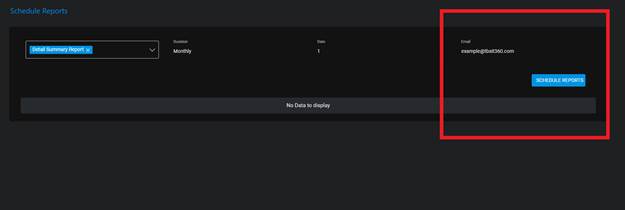
The last tab is for the email you would like the reports to be sent to. Here is where you enter the email address that will receive the reports.