
How to connect and configure Sharp Copiers to work with TBS 9900 Copy Interface
Additional Parts Needed: Copier Cable A07465 (provided by TBS) and a D-VEND Kit (provided by Copier Company)
CONFIGURING THE COPIER/TBS9900 INTERFACE
The D-VEND Kit is required for the TBS-9900.
The TBS9900 Copier Cable connects to the D-VEND Kit provided by your copier company. NOTE: confirm you connect the side that is labeled 'Copier Side' as both ends are 15 pin connectors.
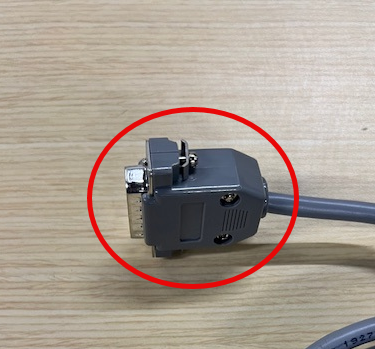
CONFIGURING SHARP COPIER INTERFACE (documented by a Sharp Technician)
Sharp D-Vend External Vendor Interface Instructions
CONFIGURING TBS9900
Type 15
Sharp MX Series (Set copier to PVendor 1; will not charge print jobs):
Delay 2nd pulse: 12.5 seconds (8,5 seconds if no 11x17 in copier)
Pulse length: 0.01 second
Blind: 0.00 second
Exit Delay: 4.00 seconds
Disable delay: 0.10 seconds
Type 16
Sharp MX Series (Set copier to PVendor 3 to charge print jobs). Same settings as Type 15. Type 16 has the second enable line, which is always active, allowing for network and USB print jobs to be charged. Additional settings required in the copier and the printer's driver. Consult copier's manual.