
Configure Printer for Guest Passes
Run the configuration utility @ C:\Program Files (x86)\TBS\TBS Printing Service\ServiceConfigurations.exe on the staff station that needs to have the printer configured.
In the configuration window, select the receipt printer that you want to use for printing guest passes.
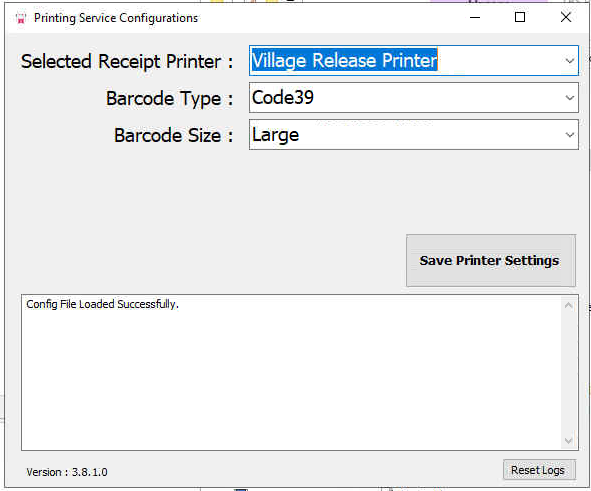
Barcode type should stay at Code39 unless your library uses something else, which is not typical.
Barcode size should probably be set to large.