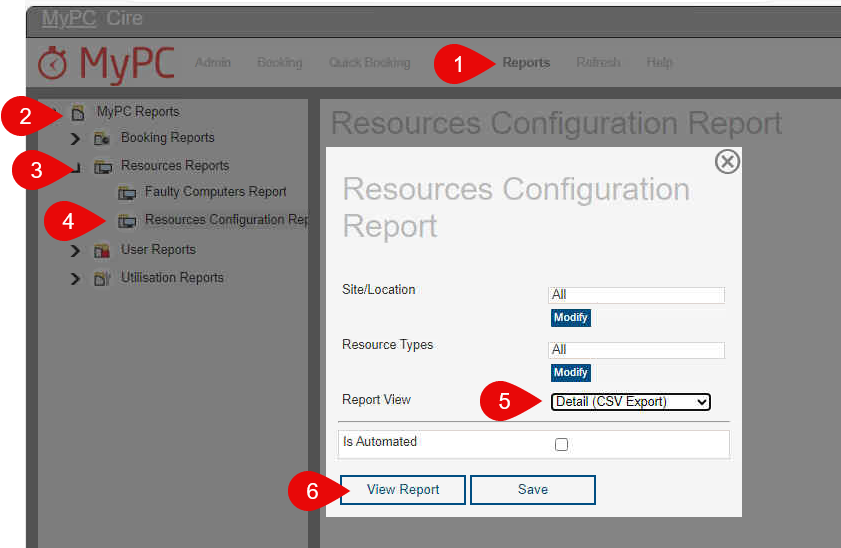
How to run Configuration Report to check MyPC version for all the clients
1. After logging into MyPC link, click on "Reports"
2. Select "MyPC Reports"
3. Select "Resources Reports"
4. Select "Resources Configuration Report"
5. Select "Detail (CSV Export)" option from the drop down menu
6. Click "View Report" button. It will download the report in the downloads folder.