
How to use AzureAD for MyPC Logins configured in Desktop Profile
The Cause
Library is switching to AzureAD for login. Need to configure MyPC Desktop Profiles
The Resolution
'AzureAD' as the domain under the desktop Profile. If this doesn't work, here are some tests and other options:
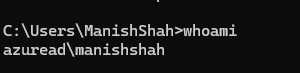
If you can login to the PC as the AzureAD user and type Whoami in a command prompt and send back what the results for example my laptop is Azure joined its returning
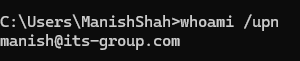
Also run
And finally if you type set in the command prompt and let me know what this is returning
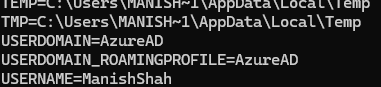
In theory based on my colleague's setup he used the UPN of the user and the domain as it returned its-group.com that but in my test Azure I return AzureAD