How to disable User/ILS Validation
How to disable user validation when ILS is down
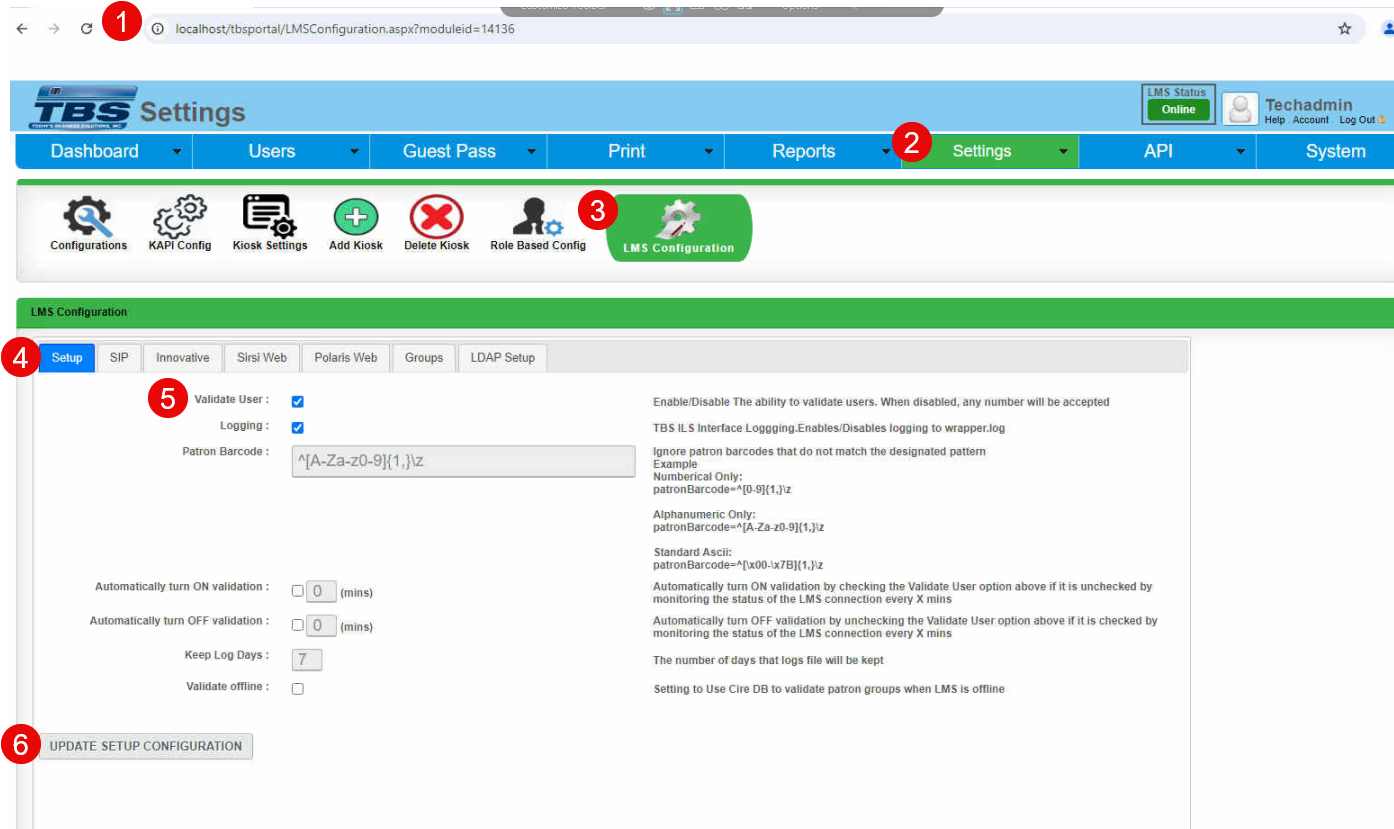
1. Log into TBS Portal with a user account which has an admin role/access.
2. Click on Settings
3. Select LMS Configuration
4. Select Setup Tab
5. Uncheck "Validate User" checkbox
6. Click on "UPDATE SETUP CONFIGURATION"