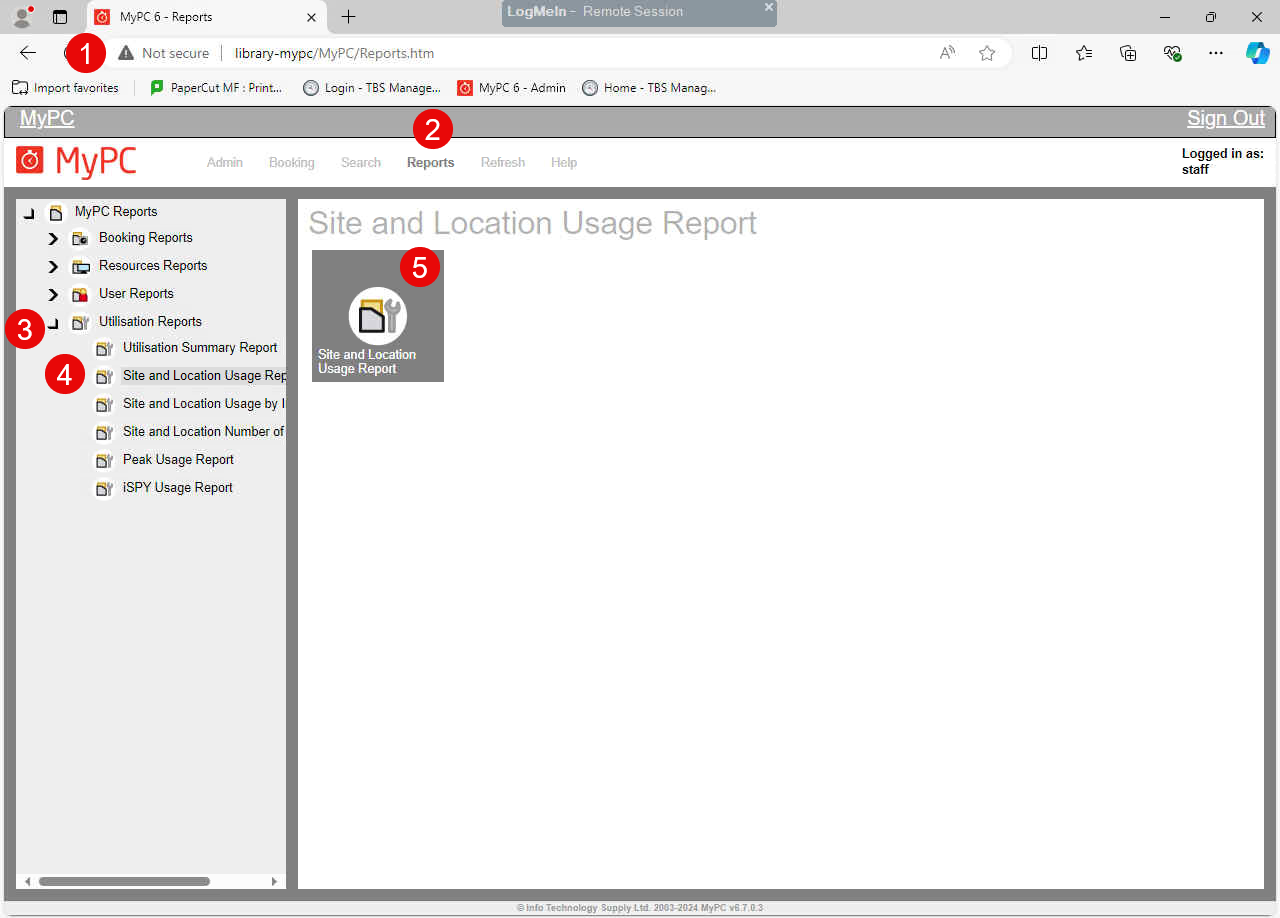
How to run MyPC Reports
1. Log into MyPC link from a staff PC.
2. Click on Reports tab.
3. Click on Utilization Reports.
4. Click the type of report you are looking to run.
5. Selection report date range, location etc to run and save a report.
Please the link below for different report options available in MyPC.