
How To Enable Payment and Configure Pricing for ScanEZ Station
The ScanEZ Station offers versatile software capabilities that can be tailored to charge for its features. Whether you need to enable payment options or configure pricing for different functions, the steps below will guide you through the process. If additional assistance is required, our team is always ready to help you find the right solution for your needs.
The Cause
ScanEZ software is designed to be adaptable, allowing administrators to set charges for its services or modify them as necessary. This flexibility ensures that you can align the software's use with your operational goals, whether that's recovering costs, regulating usage, or another purpose specific to your organization.
The Solution
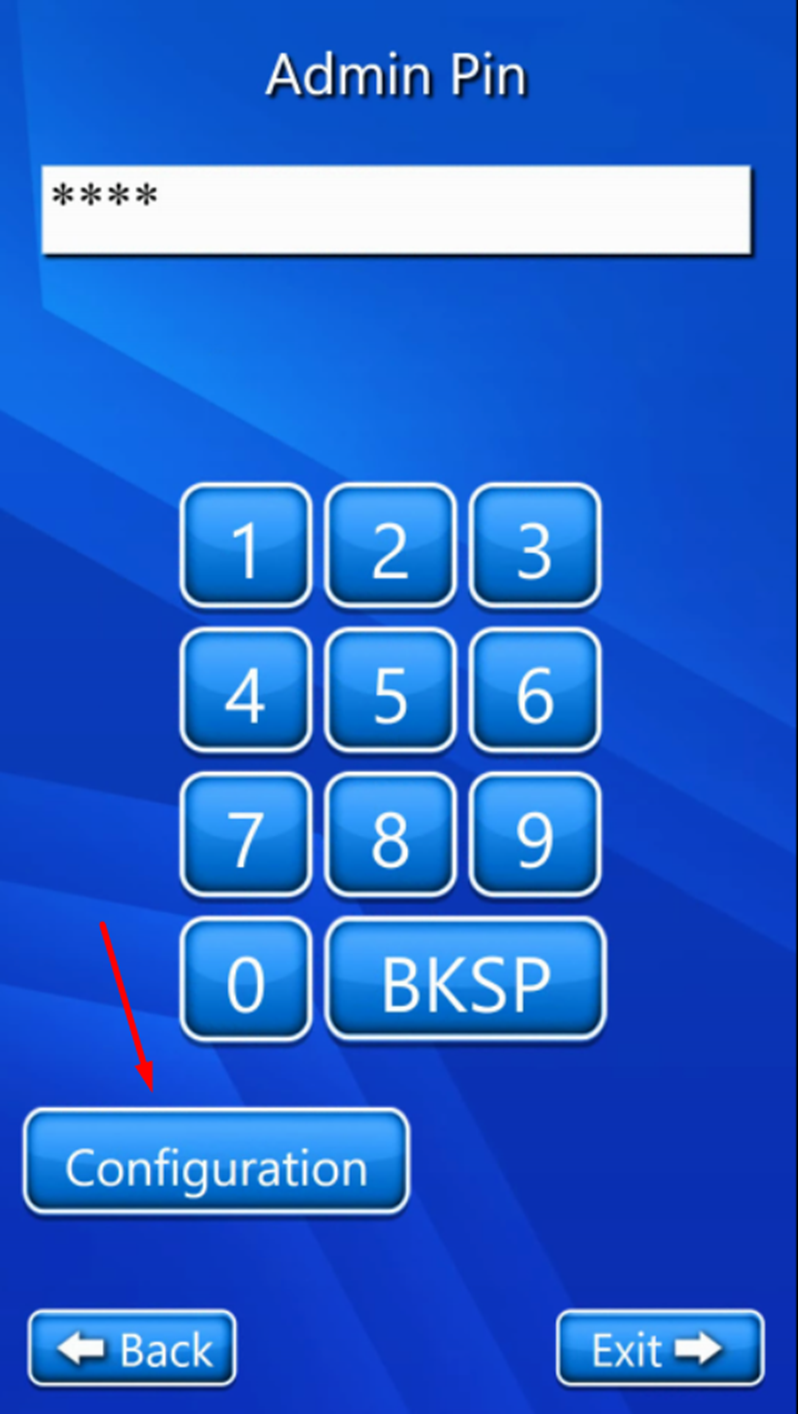
To access the configuration settings in your ScanEZ software, follow these steps:
Click four times in the top-left corner of the ScanEZ software interface.
Enter the admin password when prompted.
Click the configuration button to access a range of setup options.
Enabling Payment
Activating the payment feature lets you manage service charges directly in the ScanEZ system. For detailed instructions on how to enable payments, please refer to the following comprehensive guide:
Configuring Pricing
Setting prices for each feature in ScanEZ helps you control usage. To understand how to customize pricing for each available feature, please check out the detailed instructions provided in the link below:
If you encounter any challenges or need personalized guidance, do not hesitate to reach out for support. Our knowledgeable team is always ready to assist you in optimizing the ScanEZ Station for your specific needs.