
document feeder Error Code 2013: Paper Jam
Please press the ADF release button to open the front cover.
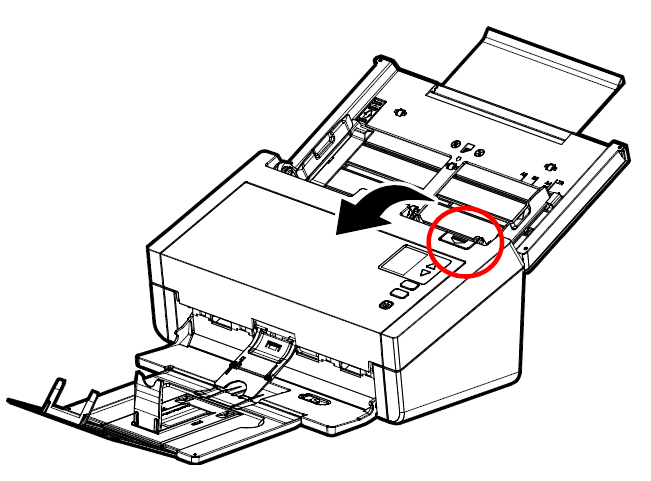
Then remove the jammed paper and then close the front cover so it can reset.
Test if the issue has been fixed.
If the problem still occurs, try to clean the scanner roller by wiping it with a lint-free cloth slightly moistened with isopropyl alcohol (95%).
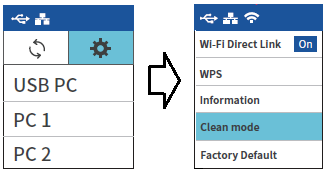
Use the clean mode by pressing the setting icon (gear icon) on the screen and then choose [Clean mode]. Finally, press the Scan button. The roller will be automatically rotated a few inches. Continue to wipe the roller until they are completely cleaned.
If the issue persists, please contact support and mention that you have completed these steps.