How to enable LogMeIn on Server
How to enable LogMeIn on Server
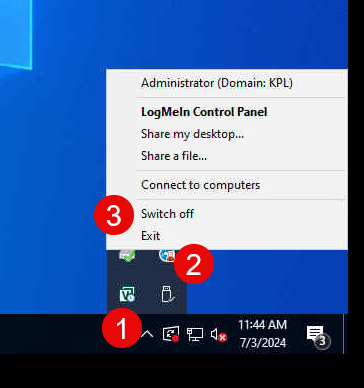
To enable/Switch ON LogMeIn, see the steps and screenshot for the same below.
1. On the Taskbar, Click on arrow so see LogMeIn icon
2. Right Click on the LogMeIn icon
3. Select Switch ON option