Resizing MYPC Login Status Bar for High Resolution Monitors (4K)
In some instances, you might need to resize a couple images for the MYPC Status bar to look correctly on high resolution monitors, mostly 4K monitors. Otherwise, it will look like the picture below and be squished. 
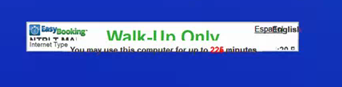
To fix this, you have to edit the two files below and I have included the locations of where they are located on the MYPC Clients. Once you have this edited for the first client you can copy it to the other machines that are using the higher resolution monitors.
VistaSAS.bmp - C:\Program Files\ITS\MyPC Client\graphic
VistaGraphicSettings.xml - C:\Program Files\ITS\MyPC Client\configuration
NOTE: Please make copies of these files before editing, just in case you have to roll them back.
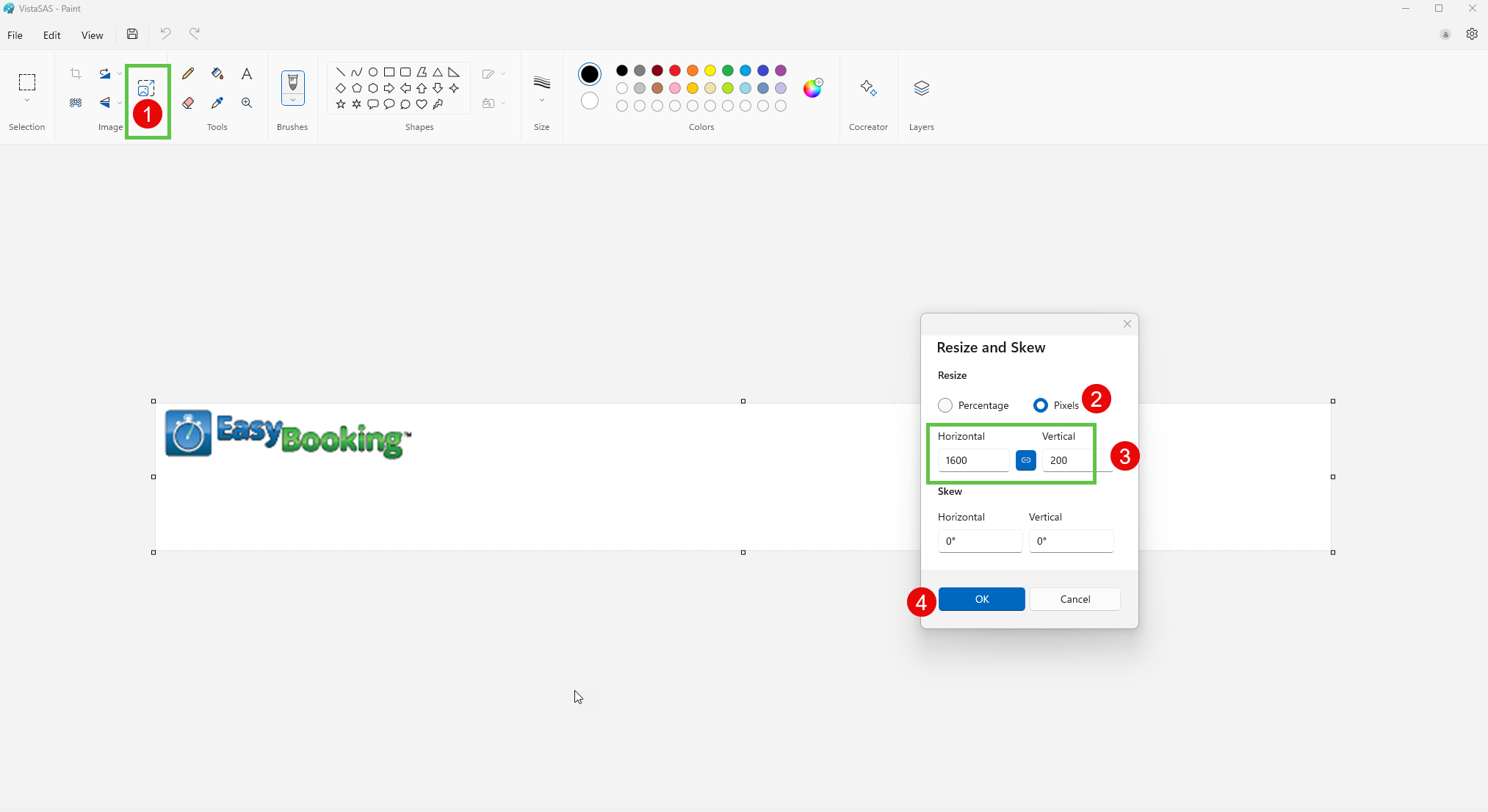
VistaSAS.BMP - Change File Size to 1600 x 200 Pixels. This can be done through Paint or any other software that can change the file size of an image.
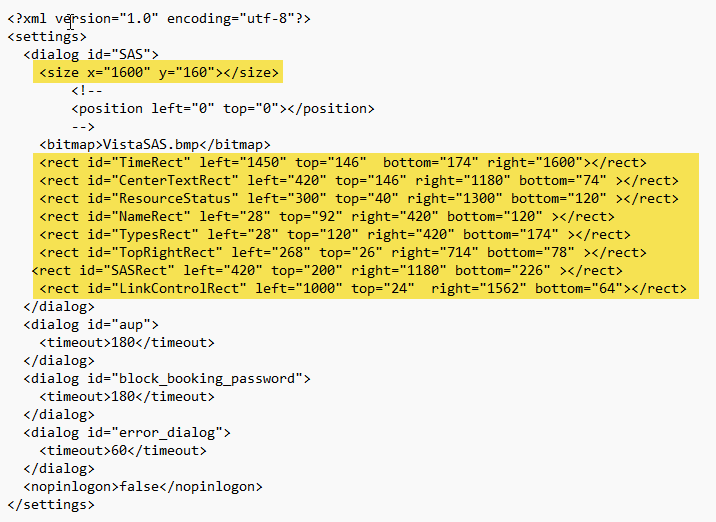
VistaGraphicSettings.xml - Need to edit the file sizes within this file using Notepad. Open in notepad and check all the sizes and change accordingly.