
How to import a new user into PaperCut without logging into a MyPC session first
The Cause
When a new user needs to be added to the system but does not want to log into MyPC to get their account auto created. The scenario where this would be handy is when a customer is providing a quota for patrons to print/copy for free and they want to use the copy function before doing any printing from a PC.
The Solution
The user, or a staff member can log into PaperCut directly to sync and pull their account information into PaperCut from MyPC without logging into a MyPC session first.
NOTE: If you do not have GROUPS configured/enabled for Quota, the user will be created, but not grouped. This is normal. The only time Papercut will group users is if GROUPS tab is configured to do something.
From any PC that can access the PaperCut server, the URL would be: http:servername:9191/user, or https:servername:91912/user
Username: Patron's barcode
Password: Patron's PIN, or if the customer is not using PIN for validation, then you can re-enter the Patron Barcode.
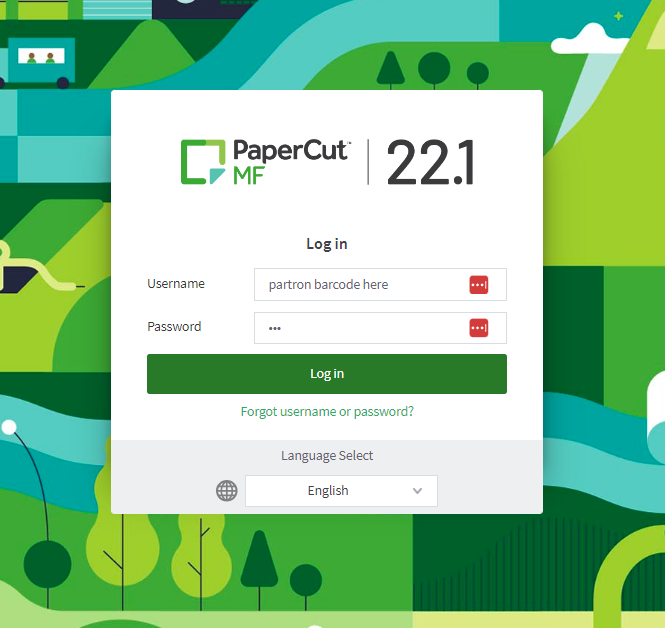
This will log the user into their User Account and should now show their quota balance as well.
If not working, please confirm you are using the latest Cire PaperCut Integration Tool.
NOTE: If customer is using any HTTPS or redirect within their MyPC or PaperCut pages, you will need to reflect this in the ExternalInterfaceConfig.xml file located on the Server at "C:\ProgramData\ITS\Cire\Server"
ADDITIONAL NOTE: To use 'Database' instead of 'WebService', the Cire PaperCut Integration Tool 6.0.0.0 must be installed.