
"Please Connect TBS Coin-op" message
The Cause
When going to use a SCAN TO Function on the ScanEZ Station with payment using a TBS 9900, you are prompted with a "Please connect TBS Coin-op" message.
The Solution
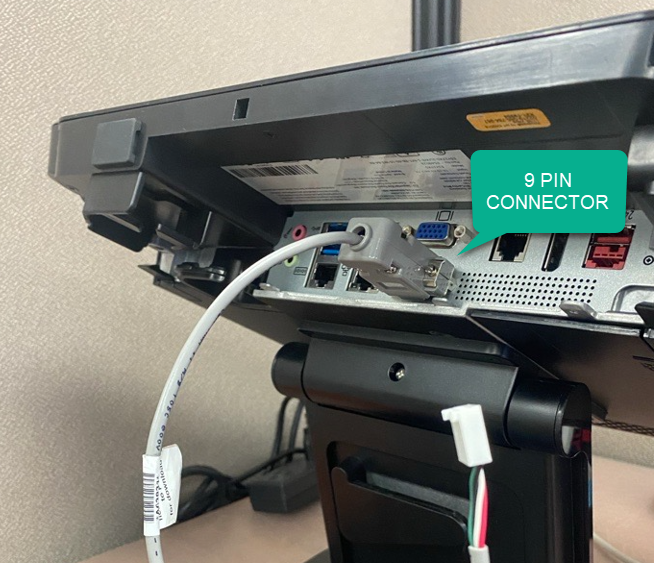
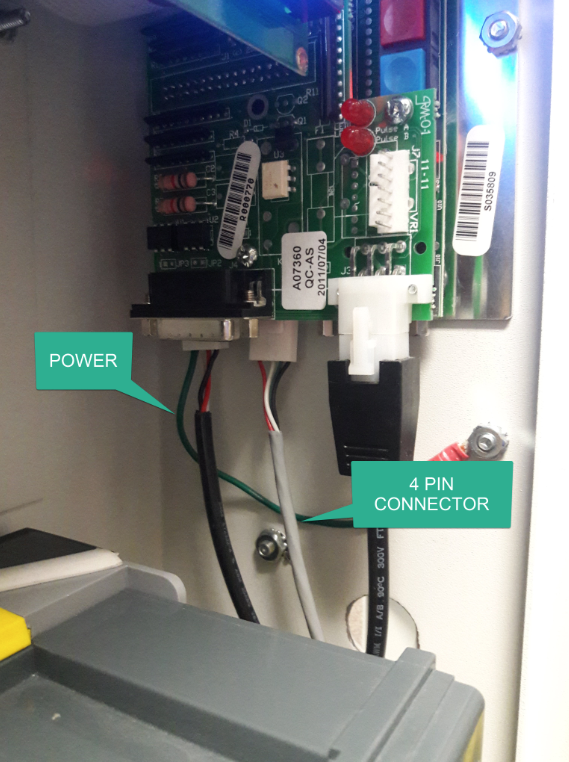
Serial cable that connects the ScanEZ Touchscreen and the TBS 9900 is loose, disconnected, or damaged. Please confirm cable is tightly secured as the images below show.
1. The 9 PIN Serial port has screws that need to be tightly secure.
2. The Other end of the 9 PIN Serial Cable is a 4 PIN connector that plugs directly into the TBS 9900 board. Please also confirm this is securely inserted.
If the issue persists, please contact TBS Helpdesk.