
How To Resolve "Please Connect TBS Coin-op" message
If you’re seeing the message “Please connect TBS Coin-op” when using any function on your ScanEZ Station that requires payment, don’t worry—you’re not alone! This message usually indicates a connection problem between your ScanEZ touchscreen and the TBS 9900 system. Let’s walk through what causes this issue and how you can fix it quickly.
Why Does This Message Appear?
The ScanEZ Station sometimes requires payment, which can be managed by the TBS 9900 system. If the station can’t communicate with the TBS 9900, it prompts you with the “Please connect TBS Coin-op” message.
Most often, this happens because the serial cable that connects the touchscreen and TBS 9900 is loose, disconnected, or possibly damaged.
How to Fix the Connection Issue
Before you call for help, there are a couple of simple steps you can try yourself. These steps involve checking the physical connections between your ScanEZ Station and the TBS 9900 system.
Step 1: Check the 9 PIN Serial Port
Locate the 9 PIN serial port at the back of the touchscreen or ScanEZ Station.
This port has screws on either side. Make sure both screws are tightened securely.
If you find the screws are loose, carefully tighten them by hand or with a small screwdriver. A snug connection is essential for proper communication.
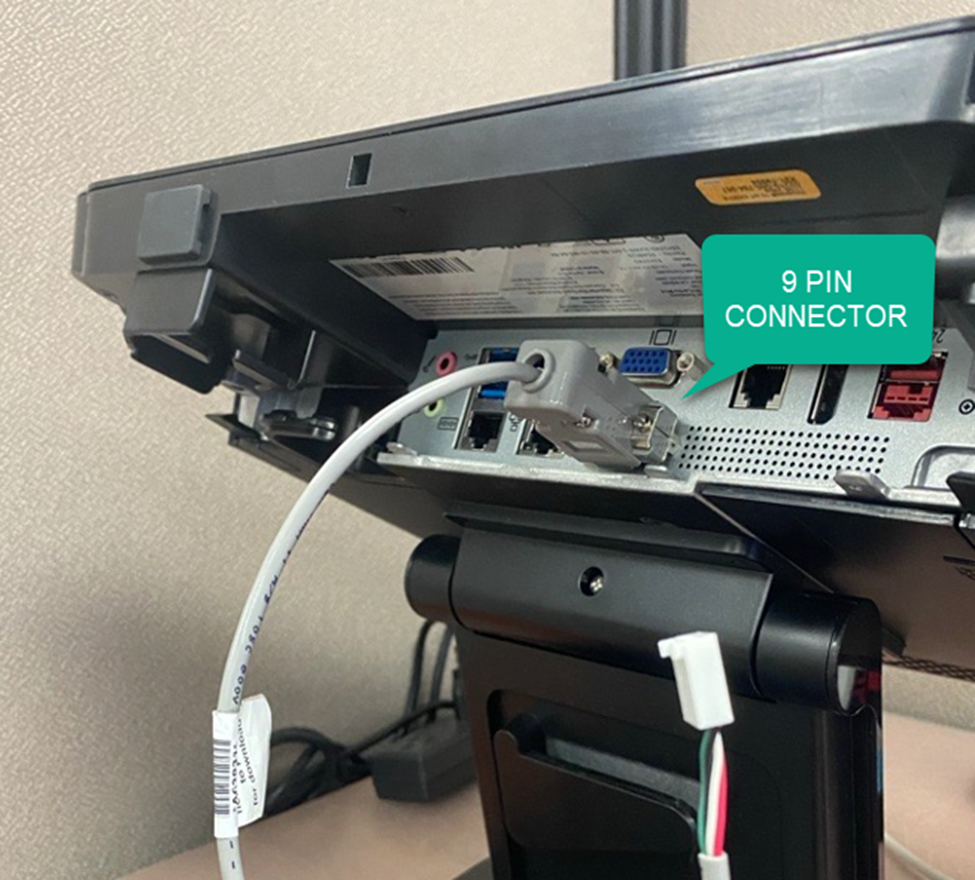
Step 2: Inspect the 4 PIN Connector
The other end of the serial cable has a 4 PIN connector. This plugs directly into the TBS 9900 board inside the station.
Check that this connector is fully and firmly inserted into the board.
If it appears loose, gently push it in to ensure a solid connection.
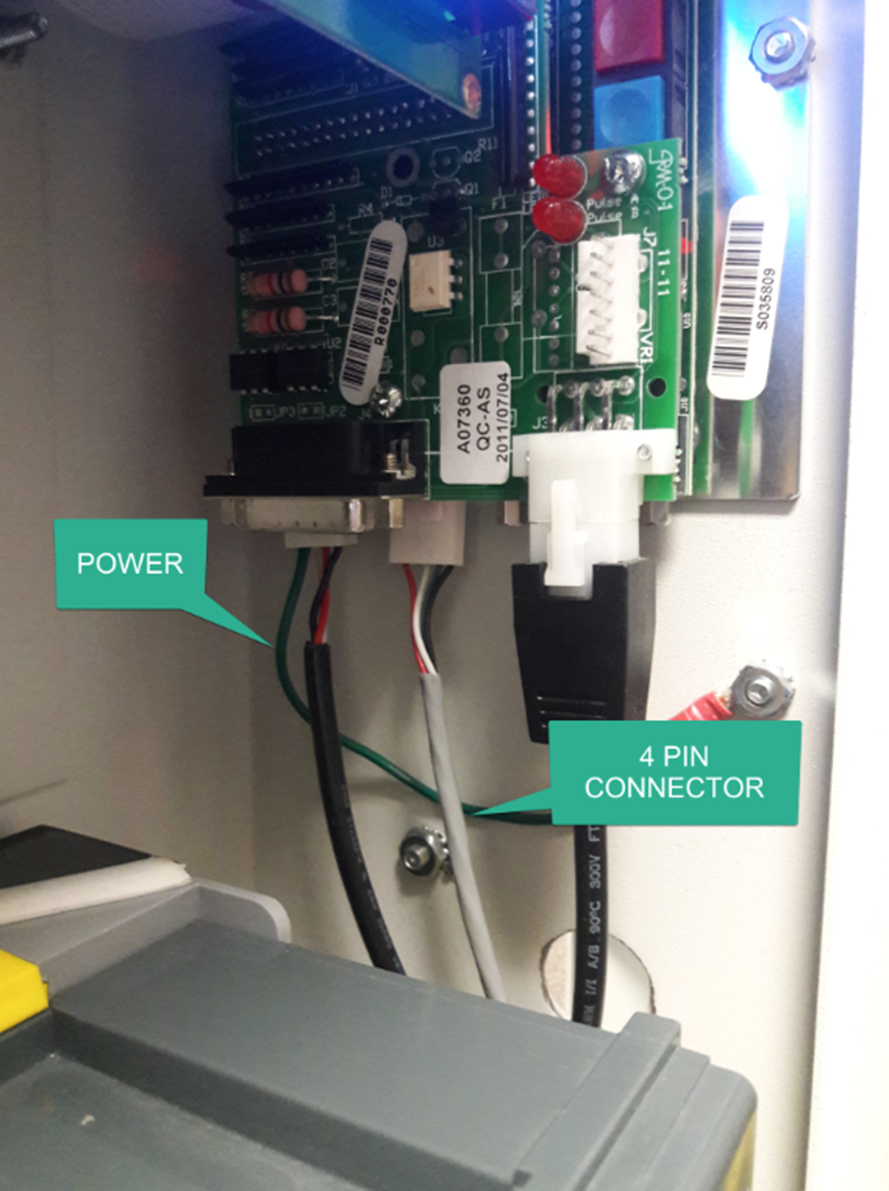
Step 3: Test the Connection
After checking and securing both connectors, try using the SCAN TO function again.
If the “Please connect TBS Coin-op” message no longer appears, you’re all set!
If the message persists, move on to the next section.
When to Contact Support
If you’ve checked and tightened both the 9 PIN and 4 PIN connectors and you’re still seeing the connection prompt, there may be a deeper issue—such as a damaged cable or a problem with the TBS 9900 board itself.
In this case, it’s best to reach out to our TBS Helpdesk team. They’re ready to guide you through more advanced troubleshooting or arrange for a repair if needed.
Gather any relevant details about your setup (such as model numbers and a description of the issue).
Let the Helpdesk know what steps you’ve already tried; this will help them assist you more efficiently.
Tips for Preventing Future Issues
Periodically check the connection cables for signs of wear or looseness, especially if the station is moved or cleaned regularly.
Avoid pulling on or applying stress to the cables when operating or moving the station.
If you ever need to disconnect the unit, always handle connectors gently and reattach them securely.
A secure cable connection is key to keeping your ScanEZ Station running smoothly. With these steps, most connection issues can be resolved in just a few minutes. If you ever need extra help, remember our support team is just a call or email away!