HOW TO: Run a report for printed ePRINTit jobs in PaperCut
Start: Log into PaperCut with enough permission to access the REPORTS tab.
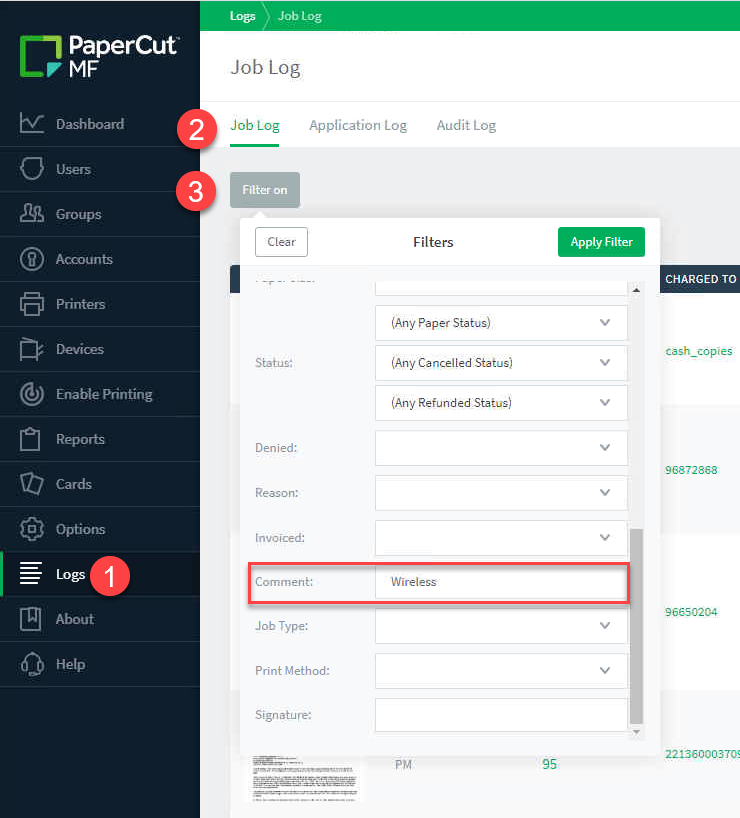
Steps in the image below:
1. Click on the LOGS tab on the left pane.
2. Go to the JOB LOG tab, then click the FILTER ON/OFF button
3. Edit your Date range, then scroll down to the COMMENT: line and add 'wireless'
This will give you any printing that went through based on the wireless hold queue.
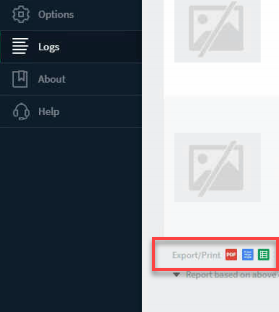
Once you have your filters in place, you can then EXPORT to a PDF, HTML, or csv file by scrolling all the way to the bottom of the page.