
How to install certificate in IIS for TBS Software
To Start, you need:
.pfx certificate
Private.key file
.pfx cert password
HOW TO INSTALL A SSL CERT USING PFX FILE
- Open IIS select the server. Under the Home options, choose 'Server Certificates' in install the cert.
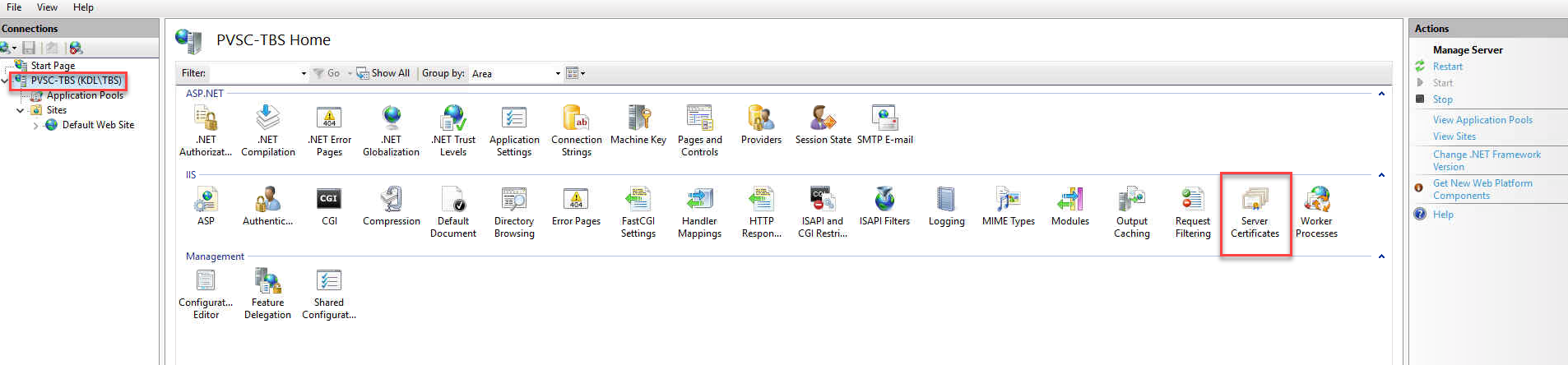
- Select IMPORT in the top Right corner

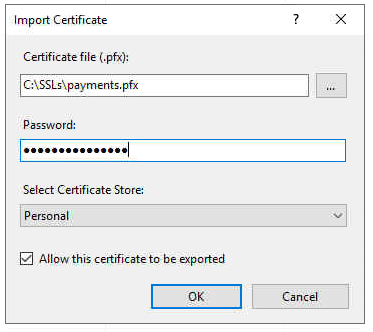
- Select the .pfx file from the file path and input the password. Click OK.
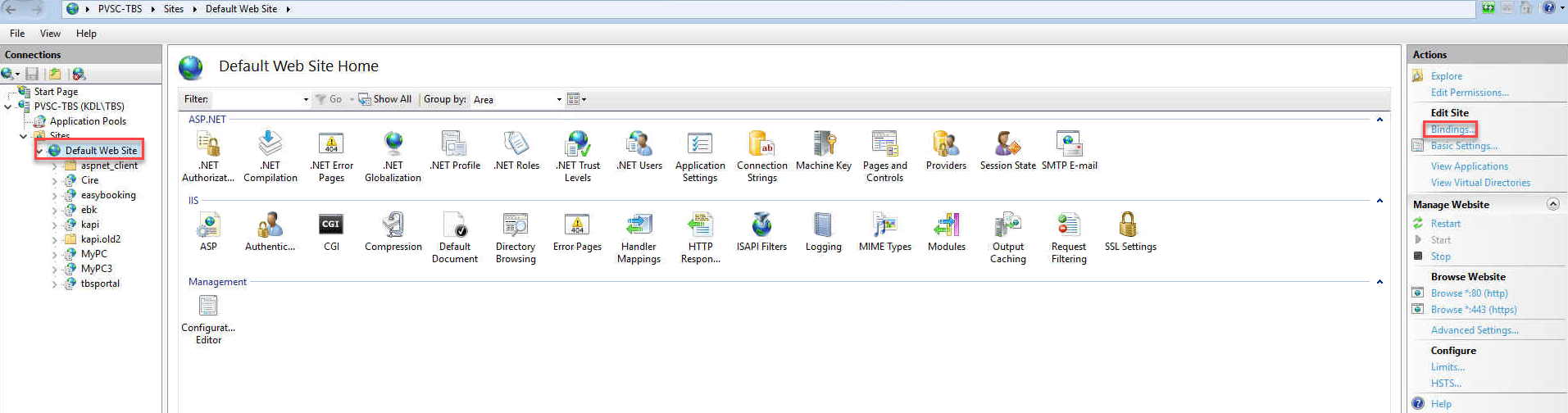
- Once the cert is installed, now go to the Default Web Site and create an HTTPS Binding.
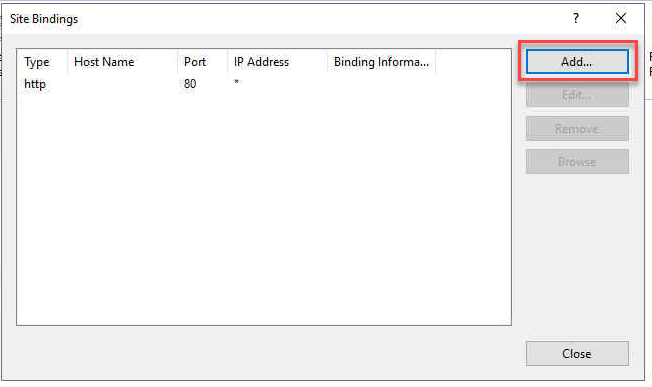
- Then ADD. (Note: by default, you will see HTTP Port 80 Binded)
- Select type HTTPS, and Select your 'SSL Certificate', then OK.
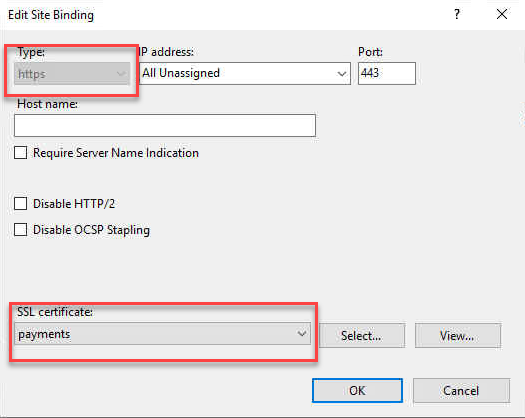
Now you are done! NOTE: This does NOT force HTTPS, this is only to enable it with a valid SSL Certificate.
DONE!
HOW TO CONVERT CERTS TO GET A PFX:
- Download and install OpenSSL software from below link based on your system type https://slproweb.com/products/Win32OpenSSL.html
- Use this link for what you are trying to convert. NOTE: YOU NEED TO HAVE THE PRIVATE KEY FROM THE CUSTOMER NO MATTER WHAT! THIS ALSO HAS TO BE DONE ON THE SERVER!
How to convert certificates into different formats using OpenSSL - SSL Certificates - Namecheap.com