
Nayax Refund Instructions
Information Needed for Refund
- First or Last (4) Digits of Credit Card
- Date/Time of Transaction
- Email Address for Patron (Needed for sending Refund Receipt)
- Amount of Transaction
-
Amount to Refund
-
Nayax Refund Instructions
- Log into Nayax Portal
- Choose Reports > Online Reports > Dynamic Transaction Reports
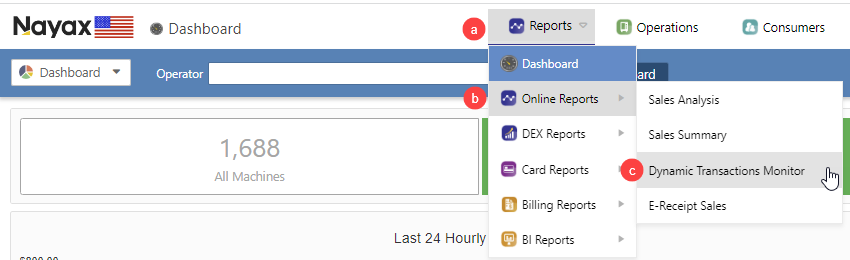
- See the steps below for finding the transaction
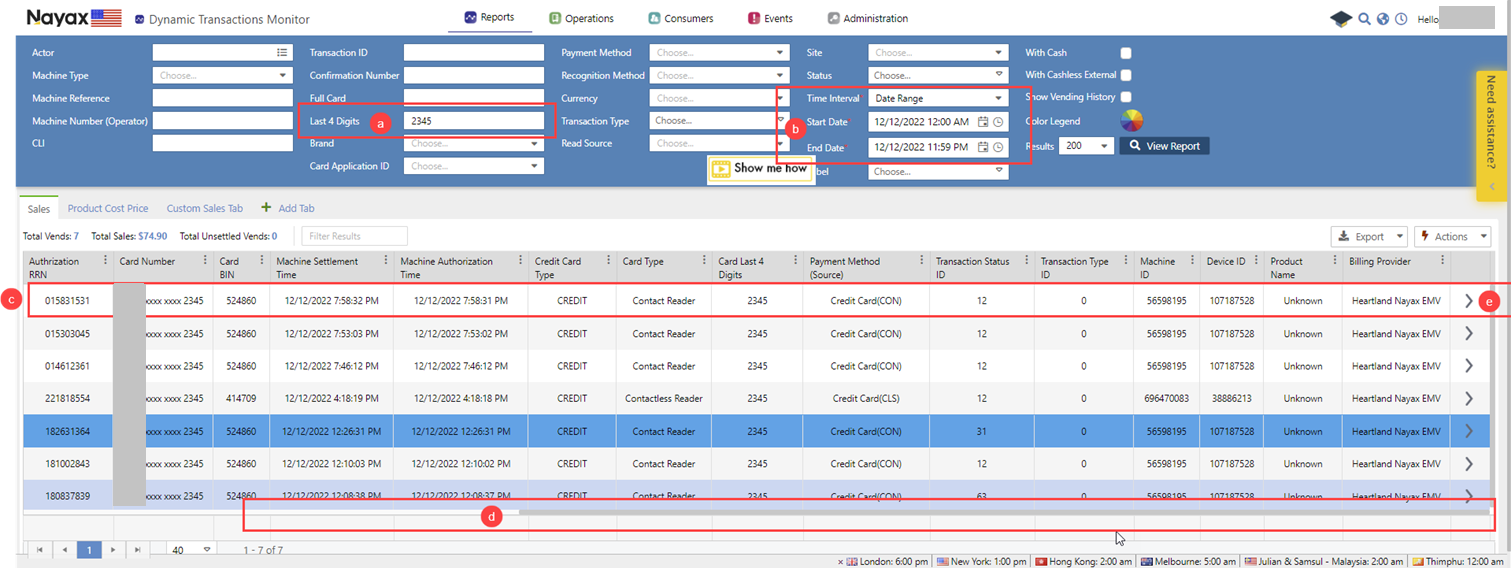
- There are many options to find the transaction, the last 4 digits of the CC card are the most common.
- Be sure to choose the date or date range of the transaction under “Time Interval”
- Once you find the transaction you wish to Refund, click on the transaction
- You must move the screen all the way to the right, to do this there is a slider bar at the bottom of the page, move this to the far right
- Click on the Arrow and a box will open
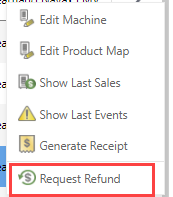
- In the box click on “Request Refund”
- In the box that opens you have a few choices of how much to refund. You need to add a email address, you can send this to the library or to the end user.
Also be sure to enter a reason if there is not a specific cause enter the following into the Refund Reason “Transaction error, we apologize for the inconvenience”
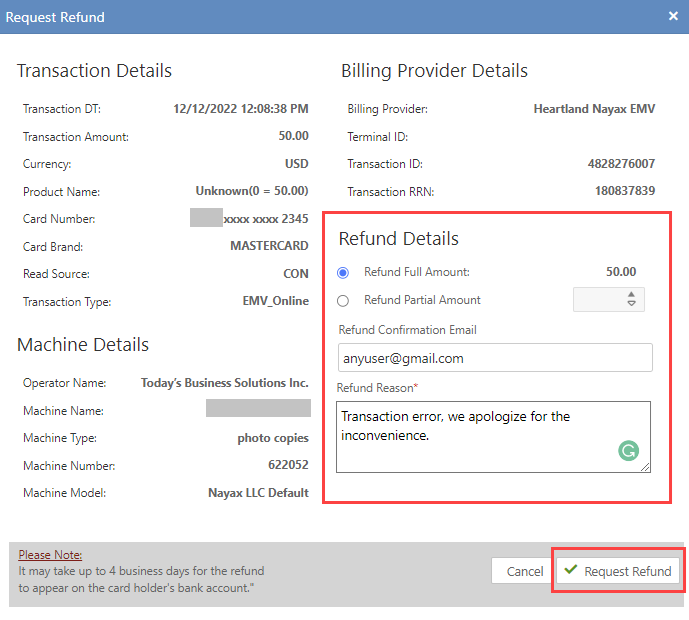
- Once you have completed the request, click on Request Refund. This will email the user that the refund is being processed. It can take up to 4 days to process the refund.